
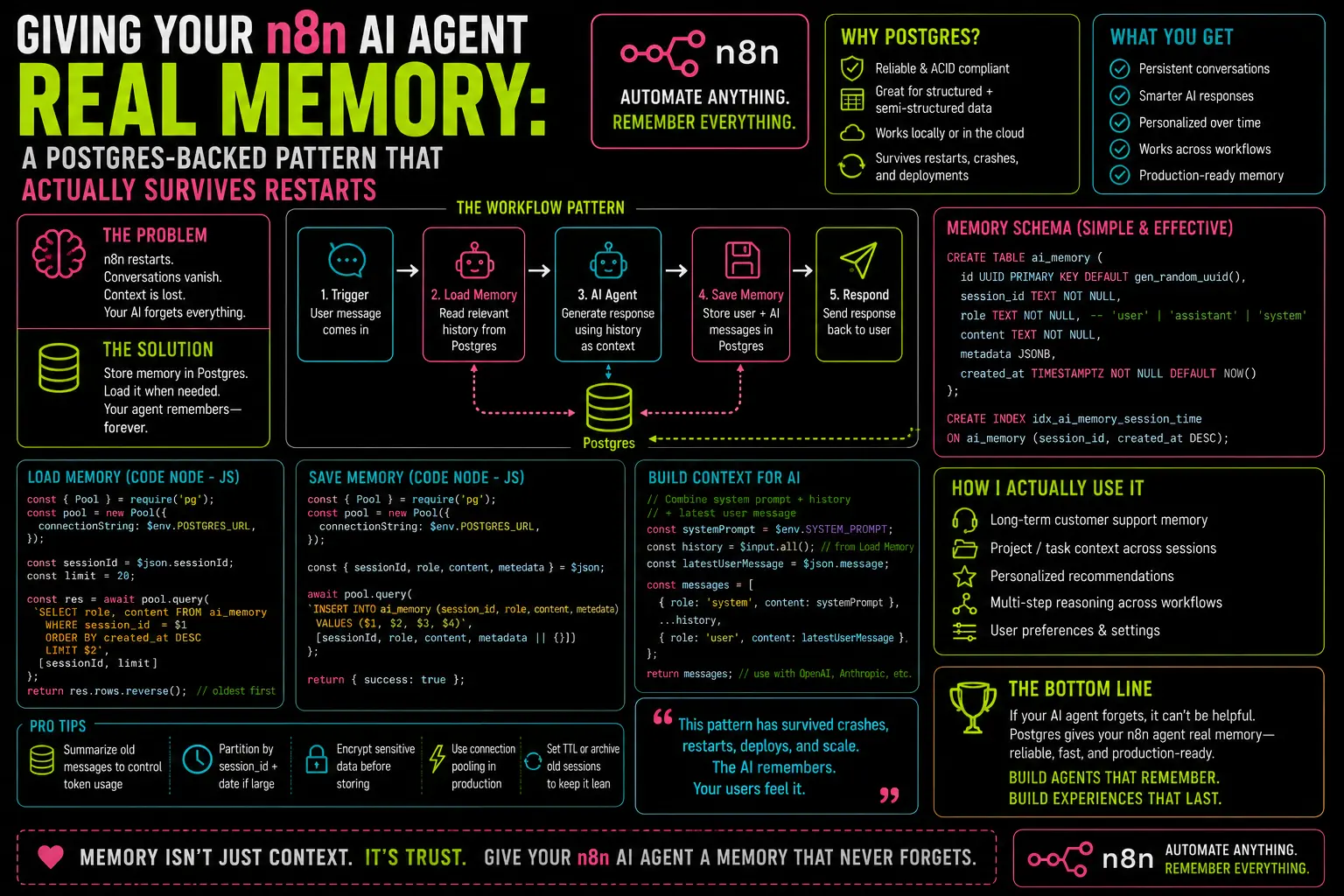
Here’s something the n8n AI agent setup guides don’t say clearly: the default memory configuration forgets everything the moment your workflow finishes. Every conversation. Every piece of context. Every “as I mentioned earlier.” Gone.
Not because n8n is poorly built. Because that’s exactly what in-memory storage is supposed to do. The confusion is that when you drag in a Window Buffer Memory node, connect it to your AI agent, and test it in the editor — it works. The agent remembers. You send three messages in a row and it tracks the thread. So you ship it, thinking you’ve built a stateful agent. What you’ve actually built is a stateful session that lives exactly as long as a single workflow execution, on a single n8n process, and then evaporates.
Restart n8n. Deploy to a new server. Have a user come back the next day. The agent has no idea who they are.
I built one of these for a client — a WhatsApp support agent that was supposed to remember previous interactions and avoid asking the same qualification questions twice. It worked flawlessly in testing. In production, after the first server restart three days later, it started treating every conversation like the first one. The client noticed before I did.
This is the pattern I’ve used since then. It’s not complicated. It just requires knowing which memory node to reach for and setting it up correctly once.
What “Memory” Actually Means in This Context
When an LLM responds to a message, it has no inherent memory. It processes whatever text is in the context window at that moment and generates a response. That’s it. The “memory” in a conversational agent is just a block of prior conversation history — formatted as text — that gets prepended to each new request.
n8n’s memory nodes exist to manage that block. They store message history somewhere, retrieve it at the start of each conversation turn, and append the new exchange before saving again. The difference between memory types is entirely in the “store somewhere” step:
- Window Buffer Memory — stores in RAM, scoped to the current execution. Survives nothing.
- Redis Chat Memory — stores in Redis. Survives n8n restarts, requires a Redis instance.
- Postgres Chat Memory — stores in a Postgres table. Survives everything, queryable, auditable.
For most production setups, Postgres wins. You probably already have a Postgres instance running — either self-hosted alongside n8n or on Neon/Supabase. There’s no additional infrastructure to spin up. And having memory in a queryable table means you can inspect conversations, debug context issues, and audit what the agent actually said — things Redis won’t let you do easily.
The Setup, Step by Step
Step 1: Create the memory table
n8n’s Postgres Chat Memory node manages its own schema if you let it, but I prefer creating the table manually so I know exactly what’s there. Connect to your Postgres instance and run:
CREATE TABLE IF NOT EXISTS n8n_chat_histories (id SERIAL PRIMARY KEY,session_id VARCHAR(255) NOT NULL,message JSONB NOT NULL,created_at TIMESTAMPTZ DEFAULT NOW());CREATE INDEX idx_chat_histories_sessionON n8n_chat_histories (session_id);
The session_id field is the most important one. It’s what links a conversation thread across multiple turns. I’ll come back to how you derive it.
Step 2: Add the Postgres Chat Memory node to your agent
In your AI agent workflow, replace whatever memory node you’re using with Postgres Chat Memory. Connect it to the AI Agent node’s Memory input. Configure it with:
- Postgres connection: your existing Postgres credential
- Session ID: this is the field to get right (see Step 3)
- Table name:
n8n_chat_histories(or whatever you named it) - Context window length: how many previous messages to include. I use 10 for most agents — enough context without burning tokens unnecessarily.
Step 3: Set the session ID correctly
This is where most implementations break. The session ID needs to uniquely identify a conversation thread for a specific user. If every execution uses the same session ID, every user shares the same memory. If you generate a random ID each run, you lose the thread entirely.
The right answer depends on your trigger:
- WhatsApp trigger: use the sender’s phone number —
{{ $json.from }}or however your WhatsApp node surfaces it. Phone numbers are globally unique and stable. - Webhook trigger with a user ID: use that —
{{ $json.userId }}or equivalent. - Telegram: use the chat ID —
{{ $json.message.chat.id }}. - No clear user identifier: hash a combination of fields that together uniquely identify the user.
The session ID field in Postgres Chat Memory accepts an expression, so you can use:
{{ $('Webhook').item.json.from }}
or whatever path reaches the identifier in your workflow’s data.
Step 4: Wire the workflow
The final workflow structure looks like this:
Trigger (Webhook / WhatsApp / Telegram)→ AI Agent├── [Memory] Postgres Chat Memory (session_id = user identifier)├── [Model] OpenAI Chat Model (gpt-4o-mini or your choice)└── [Tools] whatever tools your agent uses→ Send response (WhatsApp / Telegram / HTTP response)
Nothing else changes. The agent reads from and writes to Postgres automatically on each turn. The conversation history is there the next day, the next week, after a server restart, after a migration.
The Mistake I Made That Wasted a Week
When I first switched to Postgres Chat Memory, my agent started giving strange responses. It would answer a question, then on the next turn reference something the user had never said. After two days of debugging prompts and model parameters, I found it: my session ID expression was evaluating to undefined for some incoming messages — specifically ones where the webhook payload structure differed slightly by source.
When session_id is undefined, Postgres Chat Memory falls back to a static value. Every conversation with a missing session ID was sharing the same memory slot, contaminating each other’s context with completely unrelated conversation history.
The fix was adding a Code node before the agent to normalize the incoming data and guarantee the session ID field was always populated. Three lines:
return items.map(item => {const sessionId = item.json.from || item.json.userId || item.json.chat_id || 'fallback-' + Date.now();return { json: { ...item.json, session_id: sessionId } };});
Then the session ID expression in Postgres Chat Memory became simply {{ $json.session_id }}. No undefined. No contamination.
If you’re building on top of a WhatsApp agent, the setup from the AI + WhatsApp agent post already normalizes the incoming payload, which makes this step simpler — the from field is always present.
Querying and Debugging the Memory Table
One of the advantages over Redis is that you can actually look inside. A few queries I use regularly:
See the last 10 messages for a specific user:
SELECT session_id, message, created_atFROM n8n_chat_historiesWHERE session_id = '+15551234567'ORDER BY created_at DESCLIMIT 10;
Find sessions with unusually long histories (might be burning tokens):
SELECT session_id, COUNT(*) as message_countFROM n8n_chat_historiesGROUP BY session_idORDER BY message_count DESCLIMIT 20;
Clear memory for a specific user (for testing, or if a session gets corrupted):
DELETE FROM n8n_chat_historiesWHERE session_id = '+15551234567';
This kind of visibility is worth more than it sounds. When a client reports that “the bot is acting weird,” being able to open the memory table and read exactly what context it was working with is the difference between a 10-minute debug and a two-hour investigation.
Set up error handling on the agent workflow too — memory read/write failures are silent by default, same as any other node. The agent will attempt to run without memory context if the Postgres node fails, and you won’t know unless you have an error workflow watching it.
One Thing Worth Knowing About Context Window Costs
Every message stored in memory gets sent to the LLM on every turn, as part of the context. If you set the window length to 50 messages and a user has a long conversation, you’re sending a lot of tokens you’re paying for on every single exchange.
I cap mine at 10 messages for general-purpose agents. For agents handling complex multi-step tasks where context matters more, I’ll go to 20. Beyond that, the cost and the risk of the model getting confused by too much history tend to outweigh the memory benefit. The right number depends on your use case — but whatever you choose, set it deliberately rather than leaving it at the default.
A genuinely persistent, production-ready n8n AI agent is not significantly harder to build than a demo one. The Postgres memory swap is one node change, one table, and one session ID expression done right. Everything else stays the same. The gap between the two is smaller than it looks from the outside — it just has to be crossed intentionally.
The full Postgres node setup guide covers the credential configuration if your Postgres connection is new. The memory table can live in the same database as everything else.
— axiomcompute