
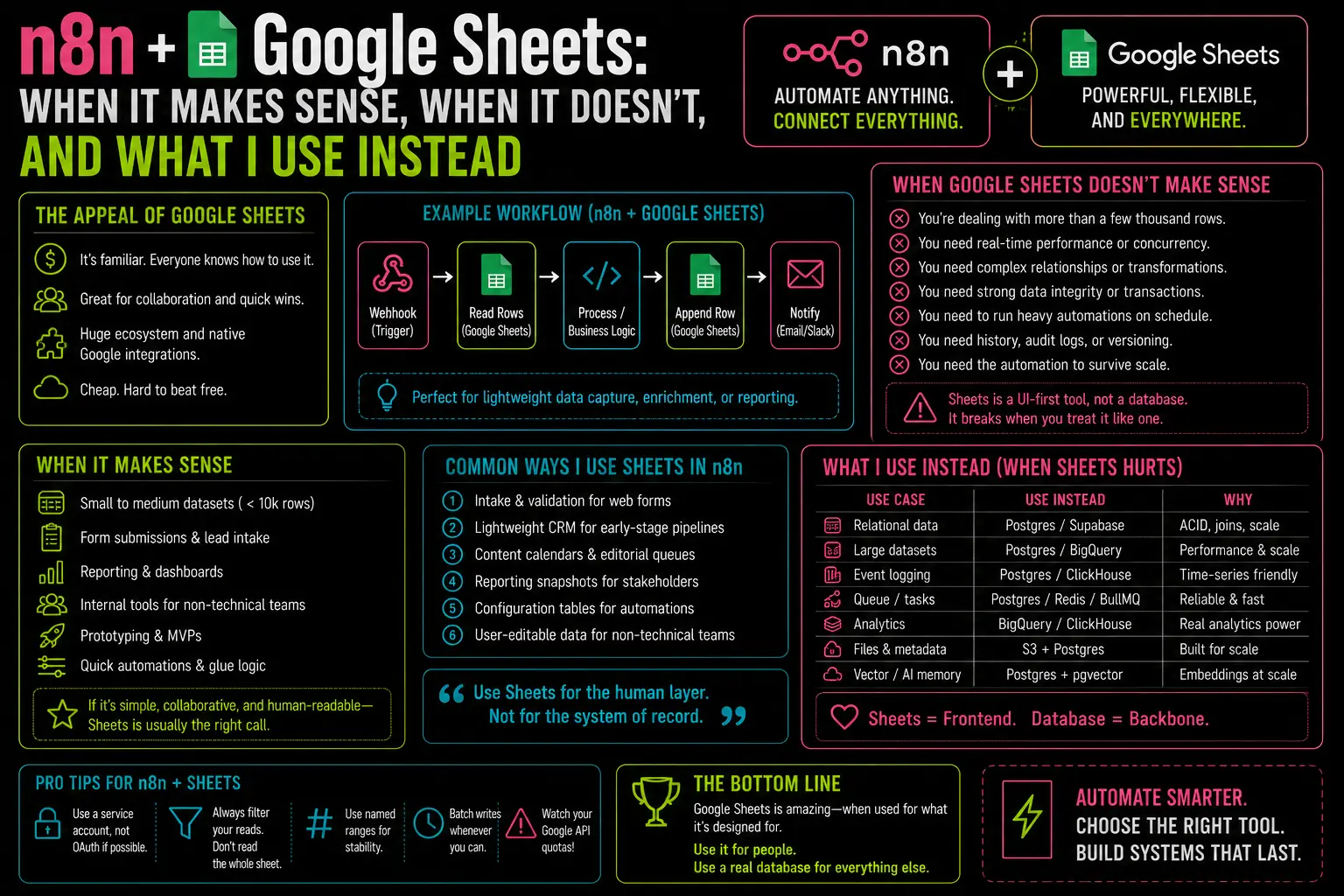
Sam asked me this recently — he’d just migrated from Zapier to n8n and was building his first real client workflow. “Can I just use Google Sheets as the database? It’s what the client already has.” It’s a fair question. I gave him the same answer I give everyone who asks: yes, with a hard ceiling you’ll hit faster than you expect.
Three months later he messaged again. The client’s sheet had grown to 4,200 rows. Query times had gone from under a second to six-plus seconds per lookup. Duplicate entries were appearing because two concurrent webhook hits were writing to the same row simultaneously. He’d spent a weekend debugging something that wasn’t actually broken — the tool had just reached its limit.
Here’s where that ceiling actually is, and what to do when you hit it.
When Sheets Is Fine
Google Sheets works well in n8n workflows for a specific set of cases:
Prototyping and internal tools with light traffic. If you’re building a workflow that runs a few dozen times a day and writes to a sheet a colleague checks manually, Sheets is perfectly adequate. Setup is fast, the client can edit data directly in a familiar interface, and there’s nothing to maintain.
One-time data tasks. Importing a CSV to process, doing a bulk enrichment run, generating a report that gets emailed — tasks that run once or on a slow schedule with no concurrency concerns are exactly what Sheets handles well.
Sub-1,000 row datasets. Below this threshold, the Google Sheets API is fast enough that it won’t be your bottleneck. Above it, you’ll start noticing.
Where It Breaks — And Why
Rate limits hit production workflows hard. Google’s Sheets API enforces 100 requests per 100 seconds per user, and 500 requests per 100 seconds per project. A webhook-triggered workflow that does a lookup on each hit will slam into this ceiling the moment a busy afternoon sends 80 leads in under two minutes. The n8n Google Sheets node will start throwing 429 errors. Your data processing backs up. If you don’t have error handling configured, those backed-up records are gone.
Concurrent writes cause race conditions. Sheets has no row-level locking. Two workflow executions hitting the same sheet simultaneously will occasionally write to the same row, skip a row, or overwrite each other’s data. This isn’t hypothetical — it happens consistently once your workflow is handling more than a trickle of concurrent triggers.
Everything comes back as a string. The Sheets API returns all values as text. Numbers, dates, booleans — all strings. If your downstream logic depends on data types (and it usually does for anything involving comparisons or calculations), you’re adding a parsing step to every operation. It’s manageable but tedious, and it’s the kind of thing that bites you at 2am when a formula that worked in testing breaks in production because "1" !== 1.
Your formulas and automations break each other. Clients who live in Sheets use formulas — VLOOKUP, SUMIF, conditional formatting. Your n8n automation writes to specific rows and columns. The two will conflict. A workflow that appends a new row in column A will shift formula references in column B. This is fixable but it creates ongoing maintenance that nobody budgeted for.
What I Use Instead
Postgres. Specifically, Neon’s free tier for projects that don’t need a self-hosted DB, or a local Postgres instance for anything on a dedicated server.
The switch sounds more intimidating than it is. If you’re already using n8n, you’re already working with structured data — you’re just letting Sheets handle the storage. Moving that to Postgres means you get:
- No rate limits on reads or writes from your own instance
- Proper data types (integers are integers, timestamps are timestamps)
- Row-level locking that eliminates the concurrent write problem
- Indexes for fast lookups even across millions of rows
- A queryable audit log if you add a
created_atcolumn
The n8n Postgres node setup is roughly the same effort as the Sheets node setup once you have a database to connect to. The operational difference once it’s running is significant.
The Migration Path If You’re Already on Sheets
It’s not painful. Export the sheet as CSV. Import that CSV into Postgres via \copy or any GUI client (TablePlus, DBeaver). Update your n8n workflow to use Postgres nodes instead of Sheets nodes. Done in an afternoon.
If the client needs to keep viewing and editing data in a spreadsheet-style interface, Retool or even a simple read query pasted into a Google Sheet on a schedule works fine. The important thing is that your automation writes to Postgres, not that humans can’t see a spreadsheet.
Google Sheets is not a database. It’s a spreadsheet with an API. That distinction matters the moment you build something production-grade on top of it.
— axiomcompute