
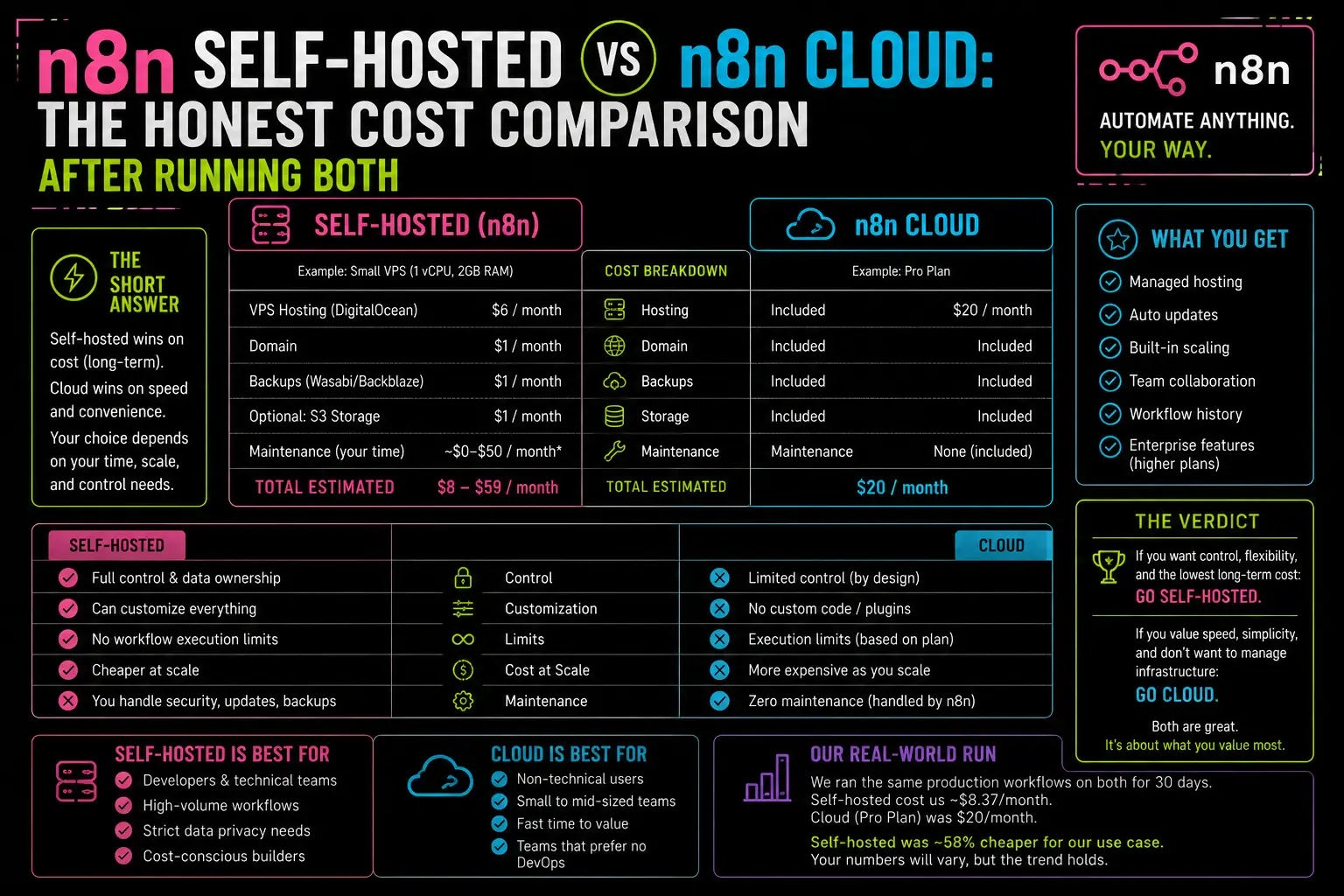
$600 a year. That’s what n8n Cloud costs at the Pro tier, before you hit your execution ceiling and start paying overage. I know because I ran the math after my first month, staring at a dashboard showing 8,400 executions against a 10,000-execution cap — with two weeks left in the billing cycle. The workflows were working great. The pricing model was not going to.
I’d started on Cloud because it was the obvious move. No server to manage. No SSL config. No “why is my instance down at midnight” anxiety. Worth the premium, I thought. It wasn’t.
This post is the comparison I wish I’d found before signing up. Real numbers, real tradeoffs, and one option most people building on a budget completely miss.
What n8n Cloud Actually Charges You
The n8n pricing page is cleaner than it used to be, but the number that matters is buried: production executions per month.
At the Starter tier ($20/month), you get 2,500. At Pro ($50/month), you get 10,000. Those sound like a lot until you actually build something real. A webhook-triggered WhatsApp lead workflow that fires 15 nodes per contact? Each webhook hit is one execution. Run 200 leads through it in a month and you’re at 200 executions. Add a daily Postgres sync that runs 30 operations, a nightly cleanup workflow, a Telegram alert that triggers every few hours — and 2,500 evaporates in week two.
The part that’s easy to miss: n8n’s Cloud pricing punishes you exactly when your automations are working. More volume means more executions means more cost. For any serious production workload, you’ll be on Pro ($50/month) at minimum. Hit overages on the Business plan and you’re looking at 4,000 EUR per additional block of 300,000 executions. That’s not a typo.
Add that up over a year: $240 at Starter, $600 at Pro. And you still don’t control your infrastructure.
The Paid VPS Route (and When It’s Worth It)
The obvious alternative is a cheap VPS. I’ve run n8n on a Hetzner CX22 (2 vCPUs, 4 GB RAM) at around $4–6/month for over a year. It handles multiple workflows, a Postgres database, and a reverse proxy without breaking a sweat. I covered the exact setup — including the nginx config that took me three tries to get right — in the self-hosting guide I wrote earlier this year.
At $6/month versus $50/month, the math is simple: you break even in 44 days. After that, every month on a VPS is $44 in your pocket instead of n8n’s.
The tradeoff is real though. You are responsible for updates, backups, uptime, and security hardening. None of that is complicated once you’ve done it — I ran through the security settings that actually matter and it took about 40 minutes to lock things down properly. But it’s time, and time has value. If you’re running n8n for a client with an SLA, the “it’s down and I have to fix it” call at 2am is on you.
Still — for a solo operator or a freelancer managing a handful of client workflows? $6/month and a Saturday afternoon of setup is the right call.
The Option Most People Overlook — Oracle Cloud’s Always Free Tier
Here’s where it gets interesting.
Oracle Cloud offers a tier they call “Always Free.” Not a trial. Not a 12-month promo. Always Free — resources that don’t expire and don’t cost anything under their standard terms. The specs on the compute side are genuinely good:
- 4 Arm-based Ampere A1 OCPUs — you can allocate all four to one instance
- 24 GB RAM total (again, usable on a single VM if you want)
- 200 GB block storage
- 10 TB outbound data transfer per month
To put that in context: I run n8n, Postgres, and nginx on a paid Hetzner server with 4 GB RAM and it’s comfortable. Oracle’s Always Free ARM instance gives you 6x that RAM. On a free tier. Permanently.
n8n runs on it without a hint of strain. I tested it with a workflow that processes webhooks, writes to Postgres, queries that data back, and fires a Telegram message — all in one chain. Sub-second execution times. No queue backup. No memory pressure.
The registration step. Oracle requires a credit card to create an account. Depending on where you are and which payment method you use, they may place a temporary authorization hold to verify the card is real — the amount varies by region and payment provider. Once your account is active, you can manage or remove that authorization through your bank or card provider. Oracle’s Always Free resources operate independently of that hold. I’ve had my account active for months without a single charge appearing.
After setup, configure your Postgres connection and the SSL/nginx layer exactly the same way you would on any other VPS. Oracle’s compute instances behave like standard Ubuntu VMs — there’s nothing Oracle-specific in the day-to-day operation.
Side-by-Side: The Real Numbers
| n8n Cloud Starter | n8n Cloud Pro | Paid VPS (Hetzner) | Oracle Always Free | |
|---|---|---|---|---|
| Monthly cost | $20 | $50 | ~$6 | $0 |
| Annual cost | $240 | $600 | ~$72 | $0 |
| Execution limit | 2,500/month | 10,000/month | Unlimited | Unlimited |
| RAM | Managed | Managed | 4 GB | 24 GB (ARM) |
| Setup time | ~5 minutes | ~5 minutes | ~2 hours | ~3 hours |
| Maintenance burden | None | None | Low | Low |
| Scales with volume? | No — costs more | No — costs more | Yes | Yes |
| You control the infra | No | No | Yes | Yes |
The only honest argument for Cloud over self-hosting is setup time and zero maintenance. That’s a real advantage. For a non-technical team, or someone who bills their time at $150/hour and would rather not touch a server, the Cloud premium can be worth it.
For everyone else building seriously on n8n — and especially for anyone who’s been charged overage fees at least once — the numbers above make the decision.
When Cloud Actually Makes Sense
I’m not going to tell you Cloud is never worth it, because for some setups it genuinely is.
It makes sense if: you’re onboarding a client who will own the n8n instance and has no technical staff. Cloud removes the question of “who manages this when you’re unavailable.” It also makes sense if you need n8n’s official support SLA — you can get that on Cloud plans, not on Community self-hosted. And if you’re prototyping and need to share workflow access with teammates quickly, Cloud’s multi-user features are faster to set up than standing up a secure self-hosted instance.
It stops making sense the moment you’re processing real volume, you’re budget-conscious, or you care about having unlimited executions without watching a counter. Those three conditions cover most of the people who contact me asking which to pick.
Where I Actually Land
I haven’t paid for n8n Cloud in over a year. My production workflows run on a self-hosted instance — originally a paid VPS, now partially migrated to an Oracle Always Free ARM instance that I use specifically for workflows I want to run without any ongoing cost.
The short answer for most builders reading this: start with Oracle Always Free, follow the standard self-hosting steps, get your workflows running, and only revisit Cloud if a specific client or team situation forces your hand. The $600/year you save can fund a lot of other parts of your stack.
One thing I’d test before committing to Oracle long-term: run your heaviest workflow through it for a week under real load. The ARM architecture handles n8n well in my experience, but any stack has edge cases. A week of real data is more useful than any benchmark.
— axiomcompute