
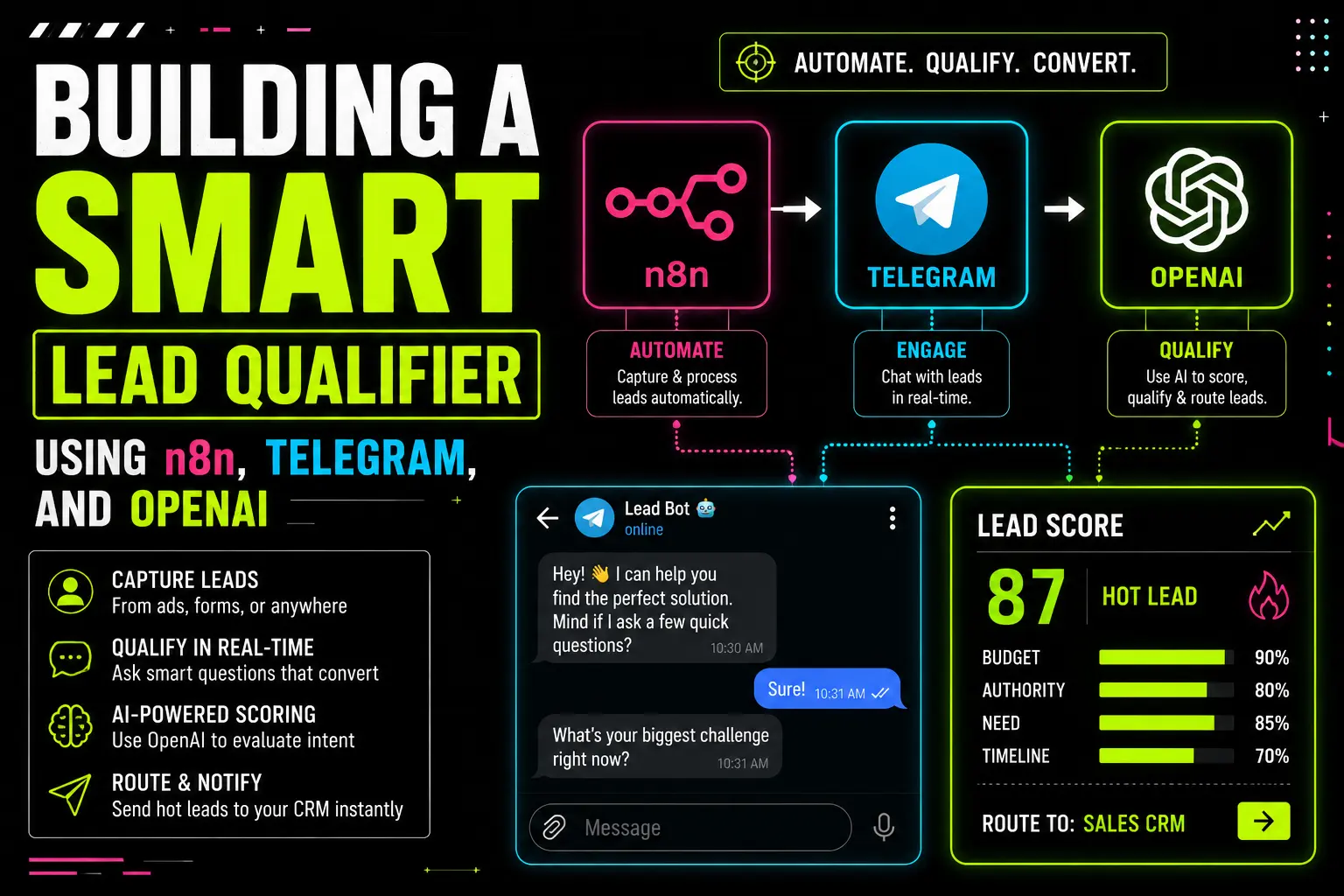
Lead qualification — the most boring task in any business, and yet the most important one. Sales team’s spending hour’s reading every single message, deciding who’s a hot lead, who’s just a tire kicker, who’s spam. It’s exhausting. It’s also unnecessary in 2025, because we have AI.
In our previous blogs we built a WhatsApp Lead Agent using Meta Cloud API, learnt how to connect Postgres database, set up self-hosted n8n on a VPS, and even covered security hardening. Today we are gonna build something slightly different — a Smart Lead Qualifier using Telegram instead of WhatsApp, because honestly, Telegram is way easier to setup and you don’t need Meta’s approval drama.
By the end of this blog you’ll have a working AI lead qualifier that recieves messages on your Telegram bot, uses OpenAI to score the lead (hot/warm/cold), saves everything to Postgres, and pings you when a hot lead arrives. If this is your first blog with me — hello, name’s ‘axiomcompute’, your friendly neighbourhood automation guy. Let’s get into it.
Why Telegram + OpenAI Combo Is Underrated
Most people building lead bot’s go straight to WhatsApp, and yeah it’s the king for Indian market. But for prototyping, internal tools, or even small businesses — Telegram is honestly the smarter pick. Reasons:-
- Zero approval drama:- Just talk to BotFather, get token in 30 seconds. No Meta verification, no business documents, no template approvals.
- Free forever:- Telegram Bot API has no per-message charges, no monthly fees. WhatsApp charges per conversation after free tier.
- Richer features:- Inline keyboards, file uploads upto 2GB, voice messages, polls — all without extra setup.
- Better for B2B:- If your audience is tech-savvy founders, devs, or international clients, they’re already on Telegram.
And OpenAI on top? Well, GPT-4o-mini is dirt cheap (around ₹0.08 per lead classification) and incredibly accurate at understanding intent. The combo just makes sense.
Telegram = Free message channel. OpenAI = Free thinking layer (almost). n8n = Glue between them. That’s the entire stack.
Smart Lead Qualifier: Features We Are Building
Before jumping into the build, let me list what this workflow will actually do:-
- Real-time Telegram message handling:- Bot recieves DMs 24/7
- AI-powered intent classification:- buy / pricing / demo / support / spam / greeting
- Lead scoring (0-100):- based on urgency, intent, sentiment, and message quality
- Hot lead alerts:- instant notification on your personal Telegram when a hot lead drops in
- Auto-reply with smart context:- different reply for pricing, demo, or general query
- Database logging:- every lead with full conversation history in Postgres
- Duplicate detection:- existing leads get updated, not re-created
Sounds like a lot, but n8n makes this feel like assembling lego blocks. Let’s start.
Step 1 — Create Your Telegram Bot
This is the easiest part. Open Telegram, search for @BotFather (the official one, blue tick). Send /newbot, follow the prompts:-
- Give your bot a name (e.g. “Axiom Lead Qualifier”)
- Give it a username ending in
bot(e.g.axiom_lead_bot) - BotFather will reply with your Bot Token — looks like
7842:AAEfg-XYZ...
Important:- Save this token somewhere safe. Treat it like a password — anyone with it can control your bot. I usually paste mine into a .env file immediately.
Now go to your bot in Telegram, hit Start, send any message. Your bot is alive but not doing anything yet — that’s where n8n comes in.
Step 2 — Setup Telegram Trigger Node in n8n
Open n8n (we set up self-hosted n8n in our VPS guide, but n8n cloud also works). Create a new workflow, drag the Telegram Trigger node.
- Credential:- Click “Create New”, paste your Bot Token from BotFather
- Updates:- Select “message” (we only care about new messages)
- Additional Fields → Download Files:- leave off for now
Click “Listen for Test Event”, then send a message to your bot from Telegram. You should see the JSON appear in n8n editor. Something like:-
{
  "update_id": 928473821,
  "message": {
    "message_id": 14,
    "from": {
      "id": 5839472910,
      "first_name": "Rohit",
      "username": "rohit_sharma"
    },
    "chat": { "id": 5839472910, "type": "private" },
    "date": 1722841234,
    "text": "Hey, what's the pricing for your service?"
  }
}
That’s our raw lead data. Now we need to clean it up and feed it to AI.
Step 3 — Parse and Normalize the Lead Data
Add a Code node after Telegram Trigger. The job here is to extract clean fields — name, telegram_id, message text, timestamp — and structure them for downstream nodes.
const msg = $input.first().json.message;

return [{
  json: {
    telegram_id: msg.from.id.toString(),
    username: msg.from.username || null,
    name: msg.from.first_name + (msg.from.last_name ? ' ' + msg.from.last_name : ''),
    message_text: msg.text || '',
    chat_id: msg.chat.id,
    received_at: new Date(msg.date * 1000).toISOString()
  }
}];
Why we do this — raw Telegram payload is deeply nested and inconsistant. Cleaning it once at the start means every downstream node gets nice flat fields to work with. Less bugs, easier debugging.
Step 4 — Check for Duplicate Leads in Postgres
Before creating a new lead, check if this telegram_id already exists. We don’t want duplicate rows for the same person across multiple messages.
First, the table schema. Run this in your Neon SQL editor (we covered Neon setup in this blog):-
CREATE TABLE telegram_leads (
    id SERIAL PRIMARY KEY,
    telegram_id VARCHAR(50) NOT NULL UNIQUE,
    username VARCHAR(100),
    name VARCHAR(255),
    chat_id BIGINT,

    -- AI scoring fields
    lead_score INTEGER DEFAULT 0,
    lead_temperature VARCHAR(20) DEFAULT 'cold',
    intent VARCHAR(50),
    category VARCHAR(50),
    urgency INTEGER DEFAULT 1,

    -- Conversation tracking
    first_message TEXT,
    message_count INTEGER DEFAULT 1,
    last_message_at TIMESTAMP,

    created_at TIMESTAMP DEFAULT NOW(),
    updated_at TIMESTAMP DEFAULT NOW()
);

CREATE TABLE telegram_messages (
    id SERIAL PRIMARY KEY,
    lead_id INTEGER REFERENCES telegram_leads(id),
    direction VARCHAR(10) NOT NULL,
    content TEXT,
    ai_analysis JSONB,
    created_at TIMESTAMP DEFAULT NOW()
);
Now in n8n, add a Postgres node:-
- Operation:- Execute Query
- Query:-
SELECT * FROM telegram_leads WHERE telegram_id = $1 LIMIT 1; - Query Parameters:-
={{ [$json.telegram_id] }}
Then add an IF node to branch on whether the lead exists or not:-
Condition: {{ $json.length > 0 }}

TRUE branch  → Existing lead, update it
FALSE branch → New lead, insert it
Step 5 — The Brain: OpenAI Lead Analyzer
This is where the magic happens. After both branches converge (using a Merge node), feed the message to OpenAI for analysis.
Drag an OpenAI node (or “Message a Model” if you’re on newer n8n version):-
- Credential:- Add your OpenAI API key from platform.openai.com
- Model:-
gpt-4o-mini(cheap, fast, accurate for this use case) - Response Format:- JSON Object
Now the prompt — this is the most important part. A good prompt = good scoring. A bad prompt = garbage results.
SYSTEM PROMPT:
You are a lead qualification expert for a B2B SaaS company.
Analyze the user message and return a JSON object with these exact fields:

{
  "intent": "buy" | "pricing" | "demo" | "info" | "support" | "greeting" | "spam",
  "category": "sales" | "support" | "general" | "spam",
  "urgency": 1-5 (1=no urgency, 5=immediate),
  "sentiment": "positive" | "neutral" | "negative" | "frustrated",
  "score": 0-100 (lead quality score),
  "reasoning": "1-line explanation of the score"
}

Scoring rules:
- "buy" intent with high urgency → 80-100 (HOT)
- "pricing" or "demo" intent → 50-79 (WARM)
- "info" or "greeting" → 10-49 (COLD)
- "spam" or low quality → 0-9
- Frustrated sentiment in support → boost urgency

Return ONLY valid JSON, no markdown, no explanation outside the JSON.

USER PROMPT:
Lead message: "{{ $json.message_text }}"
Lead name: {{ $json.name }}
Previous message count: {{ $json.message_count || 1 }}
Note:- Always use a system prompt to define the AI’s role and output format. Without it, GPT will sometimes return markdown blocks or extra commentary which breaks JSON parsing downstream.
Step 6 — Process AI Output and Decide Action
Add another Code node to safely parse the AI output and determine the lead temperature:-
let aiRaw = $input.first().json.message.content;

// Sometimes GPT wraps response in markdown, clean it
aiRaw = aiRaw.replace(/```json|```/g, '').trim();

let analysis;
try {
  analysis = JSON.parse(aiRaw);
} catch (e) {
  // Fallback if AI returned garbage
  analysis = {
    intent: 'info',
    category: 'general',
    urgency: 1,
    sentiment: 'neutral',
    score: 10,
    reasoning: 'AI parse error, defaulting to cold'
  };
}

// Determine temperature
let temperature = 'cold';
if (analysis.score >= 70) temperature = 'hot';
else if (analysis.score >= 40) temperature = 'warm';

// Should we alert? Hot leads OR frustrated support
const needsAlert =
  temperature === 'hot' ||
  (analysis.category === 'support' && analysis.sentiment === 'frustrated');

return [{
  json: {
    ...$input.first().json,
    ...analysis,
    temperature,
    needsAlert
  }
}];
Now we have a fully analyzed lead with score, temperature, and an alert flag.
Step 7 — Save to Database
Add a Postgres node to either INSERT new lead or UPDATE existing one. For simplicity I’m showing the upsert approach:-
INSERT INTO telegram_leads (
  telegram_id, username, name, chat_id,
  lead_score, lead_temperature, intent, category, urgency,
  first_message, last_message_at
) VALUES ($1, $2, $3, $4, $5, $6, $7, $8, $9, $10, NOW())
ON CONFLICT (telegram_id) DO UPDATE SET
  lead_score = GREATEST(telegram_leads.lead_score, EXCLUDED.lead_score),
  lead_temperature = EXCLUDED.lead_temperature,
  intent = EXCLUDED.intent,
  category = EXCLUDED.category,
  urgency = EXCLUDED.urgency,
  message_count = telegram_leads.message_count + 1,
  last_message_at = NOW(),
  updated_at = NOW()
RETURNING id;
Why GREATEST on score? Because if a user sent a “hi” first (score 5) and then “I want to buy” (score 90), we want to keep the higher score. We never downgrade a lead based on a casual follow-up message.
Step 8 — Send Smart Auto-Reply
Add an IF node followed by a Switch node to route based on intent. Each branch leads to a Telegram node (operation: Send Message) with a different reply template.
| Intent | Auto Reply Template |
|---|---|
| buy | “Awesome! Let me connect you with our team right away. Expect a call within 30 mins. 🚀” |
| pricing | “Our plans start at ₹999/month. Here’s the full pricing: [link]. Want a custom quote?” |
| demo | “Sure! Book a slot here: [calendly-link]. We’ll walk you through everything.” |
| support | “Got it. We’ll have someone respond within 2 hours. For urgent issues call +91-XXXX.” |
| greeting | “Hello {{name}}! Welcome. Tell me what you’re looking for and I’ll guide you.” |
| spam | (no reply, just log) |
Configure each Telegram Send Message node with chat_id from the original message and the appropriate text.
Step 9 — Hot Lead Alerts to YOUR Personal Telegram
This is the cherry on top. When a hot lead drops in, you want to know immediately on your phone. Add another IF node checking {{ $json.needsAlert === true }}, and on the TRUE branch add a Telegram Send Message node pointing to your personal chat ID.
How to find your personal chat_id:- message @userinfobot on Telegram, it’ll reply with your numeric ID.
Alert message format:-
🔥 *HOT LEAD ALERT*

Name: {{ $json.name }}
Username: @{{ $json.username }}
Score: {{ $json.score }}/100
Intent: {{ $json.intent }}
Urgency: {{ $json.urgency }}/5

Message:
"{{ $json.message_text }}"

AI says: {{ $json.reasoning }}

Reply directly: tg://user?id={{ $json.telegram_id }}
Set parse_mode to Markdown so the bold and emoji render properly. Now everytime a score 70+ lead arrives, your phone goes ding within 2 seconds.
Step 10 — Final Touches: Logging and Error Handling
Add a final Postgres node to log every message with its AI analysis into the telegram_messages table. This gives you full conversation history for later analytics.
INSERT INTO telegram_messages (
  lead_id, direction, content, ai_analysis
) VALUES ($1, 'inbound', $2, $3);
And lastly — set up an Error Trigger workflow. In n8n settings → Error Workflow, create a separate workflow that pings you on Telegram when any node fails. This way silent failures never go unnoticed.
Cost Breakdown (For The Curious)
Let’s do the math on a realistic small business scenario — 1000 leads per month:-
| Component | Monthly Cost |
|---|---|
| Telegram Bot API | ₹0 (free) |
| OpenAI GPT-4o-mini (1000 classifications) | ~₹80 |
| Neon Postgres (free tier) | ₹0 |
| Self-hosted n8n on Oracle Free VPS | ₹0 |
| Total | ~₹80/month |
Eighty rupees a month for an AI lead qualifier that runs 24/7. That’s literally the price of one cup of coffee. Show me a SaaS tool that does this for cheaper — I’ll wait.
Common Pitfalls to Avoid
- Not setting JSON response format on OpenAI node:- GPT will sometimes return markdown wrapped JSON, breaking your Code node. Always force JSON mode.
- Skipping the duplicate check:- If user sends 5 messages in a row, you’ll create 5 rows. Always check by
telegram_idfirst. - Hardcoding chat_id in Send Message nodes:- Use
{{ $json.chat_id }}from upstream so reply goes to the right person. - Forgetting to activate workflow:- Test mode only listens once. For 24/7 operation you must click Activate. Same lesson from our webhooks blog.
- No rate limit on OpenAI calls:- If a spammer sends 1000 messages in a minute, you’ll burn API credits. Add basic spam detection before the AI node.
A smart lead qualifier is an automated workflow that recieves lead messages, uses AI (like OpenAI GPT) to analyze intent, urgency, and buying signals, then assigns a score and routes the lead accordingly. In n8n you build it by chaining a Telegram trigger, an OpenAI node, and a Postgres database node together.
OpenAI node is a single LLM call: send a prompt, get a response. AI Agent node is more powerful — it can use tools (other nodes as functions), maintain memory, and run multiple LLM iterations to complete a task autonomously. Use OpenAI node for simple classification, use AI Agent for multi-step tasks.
Set Response Format to “JSON Object” on the OpenAI node and explicitly tell the model in the system prompt to return only valid JSON without markdown wrappers. Also add a cleanup line in your Code node that strips ```json wrappers as a safety net.
Three things: use gpt-4o-mini instead of gpt-4o, keep system prompts short, and add a spam filter before the LLM call so junk messages don’t trigger paid API requests. Also set max_tokens limit to avoid runaway responses.
Yes, this is called an AI orchestrator or multi-agent cluster pattern. One model classifies the message, another drafts the reply, a third one validates tone — each specialised for its task. n8n lets you chain them with Switch and Merge nodes.
Conclusion
okay!~ So That was a long & Interesting one too. But honestly, this is one of those workflows that pays for itself within the first week. No more sales team scrolling through messages manually, no more hot leads going cold because nobody noticed them at 11 PM.
The real beauty here isn’t the tech — it’s the architecture. Telegram as a free, friction-less message channel. OpenAI as a thinking layer that understands human intent. n8n as the glue that orchestrates everything. Postgres as the memory. Four pieces, each doing one thing well, combined into something genuinely useful.
From here you can extend this in many directions — add CRM integration (HubSpot, Pipedrive), connect Slack alerts for the team, plug in voice message transcription using Whisper API, or even build a multi-agent AI cluster where one model qualifies and another drafts the reply. The foundation is the same as what we just built.
If you get stuck or want the JSON workflow template, drop me a mail at admin@techmov.in. Until next blog — keep building, keep automating, and stop replying to leads manually like it’s 2010. See you in next blog!!!