
Last month a friend of mine — runs a small interior-design studio here in our city — called me and said, “yaar, I’m losing leads on WhatsApp. Customers message me, I see it after 4 hours, by then they have already booked someone else.” Classic local-business problem. He was paying ₹2,499/month for some “CRM” tool that did basically nothing useful for WhatsApp leads.
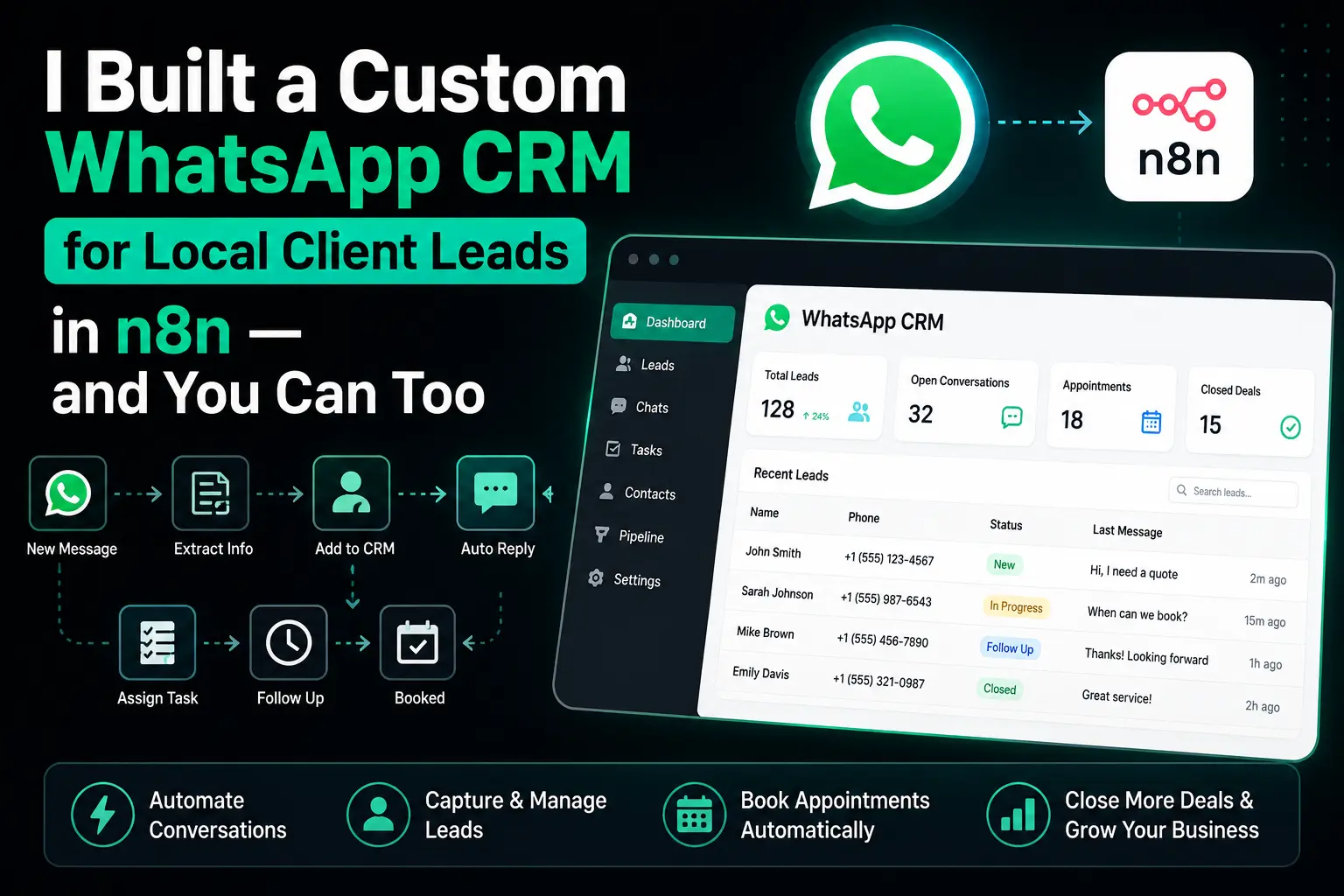
I told him, give me one weekend. I built him a custom WhatsApp CRM in n8n that captures every incoming lead, auto-replies in under 2 seconds, tags the lead, stores it in a PostgreSQL database, sends him a Slack ping, and even gives him a daily summary at 9 PM. Total monthly cost? Under ₹200 (only the VPS + WhatsApp Cloud API which is free for the first 1,000 conversations).
That weekend project is now running for 6+ weeks without a single failure. And today, in this session, I’m going to walk you through the exact same architecture so you can build one for your own business or sell it as a service to local clients.
For the new readers — hello, I goes by the nickname axiomcompute, and welcome to TechMov.in. For my returning folks, you guys already know we don’t do fluff here. Let’s start.
What Exactly Is a “WhatsApp CRM” in n8n?
Let’s clear the confusion first. A WhatsApp CRM is not some fancy software you download. In our case, it’s a set of n8n workflows that together do the job of a CRM — capture, tag, store, notify, and follow up. The “interface” is just WhatsApp itself + a simple database table your client can view via a free tool like Beekeeper Studio or even a basic Retool dashboard.
The CRM I built has these core features:
- Auto-capture — every incoming WhatsApp message becomes a lead row in PostgreSQL
- Instant auto-reply — under 2 seconds, personalized with the sender’s name
- Smart tagging — uses keyword matching (and optionally an LLM) to tag leads as “hot”, “warm”, or “cold”
- Slack notifications — owner gets a ping with lead summary, tag, and a one-click WhatsApp reply link
- Duplicate handling — same number messaging again updates the existing lead, doesn’t create a new row
- Daily digest — a clean summary message at 9 PM with total leads, hot leads, and follow-ups pending
And the best part — the entire thing runs on the same infra I covered in my n8n on VPS guide. So if you’ve followed that one, you’re already 50% done.
Why Local Businesses Are a Goldmine for This
Look, I’ll be straight with you guys. Big companies don’t need this — they already pay for HubSpot or Salesforce. But the kirana-shop-next-door, the local boutique, the freelance photographer, the coaching center owner — these people live on WhatsApp. Their entire business runs on it. And nobody is selling them something simple, affordable, and made for their scale.
I personally know 4 local business owners now using a version of this workflow. Two of them are paying me a small monthly maintenance fee. That’s the side benefit — once you build this once, you can replicate it for many clients with minor tweaks.
Pro-tip: Don’t pitch this as “automation”. Pitch it as “you’ll never miss a customer message again”. Local business owners don’t care about tech — they care about the outcome.
The Architecture — How Everything Connects
Before we start clicking nodes, let me explain the flow. Understanding the architecture first will save you 3 hours of debugging later. Trust me, I learnt this the hard way.
Here’s how the pieces fit together:
- Customer sends a message to the business WhatsApp number
- WhatsApp Cloud API forwards the message to our n8n Webhook node
- A Code node parses the messy webhook payload and extracts clean fields
- We check PostgreSQL — does this phone number already exist as a lead?
- If new → INSERT a new lead row. If existing → UPDATE the last_message and message_count
- A Switch node routes the message based on keywords for tagging
- Send instant auto-reply via the WhatsApp API node
- Send a Slack notification to the business owner
- A separate scheduled workflow runs daily at 9 PM and sends the digest
That’s literally it. 9 steps. Two workflows total. Zero monthly SaaS bills.
Step 1: Setting Up the WhatsApp Cloud API
We are using Meta’s official WhatsApp Cloud API — not some third-party gateway. Why? Because it’s free for the first 1,000 conversations every month, it’s reliable, and it’s what your client will trust when you tell them “this is from Meta directly”.
Quick setup checklist (I’m not repeating Meta’s full docs here, but this is the order):
- Go to developers.facebook.com and create a new app → choose “Business”
- Add the “WhatsApp” product to your app
- You’ll get a test phone number, a Phone Number ID, and a temporary access token
- For production, verify your client’s actual business number (takes 2-3 days)
- Generate a permanent System User access token from Business Settings (the temporary one expires in 24 hours, don’t make my mistake)
Note:- The first time I deployed this for a client, I used the 24-hour token and forgot. Workflow died at 3 AM the next day. He called me at 7 AM. Not a fun morning. Always use System User tokens for production.
Step 2: Creating the PostgreSQL Database (Neon)
We need a place to store our leads. I’m using Neon for this — same database I covered in my Neon connection guide and the PostgreSQL operations deep-dive. Free tier is more than enough for any local business CRM.
Run this SQL in the Neon SQL Editor to create the leads table:
CREATE TABLE leads (
  id SERIAL PRIMARY KEY,
  phone_number VARCHAR(20) UNIQUE NOT NULL,
  name VARCHAR(150),
  first_message TEXT,
  last_message TEXT,
  message_count INT DEFAULT 1,
  tag VARCHAR(20) DEFAULT 'new',
  source VARCHAR(50) DEFAULT 'whatsapp',
  status VARCHAR(20) DEFAULT 'open',
  created_at TIMESTAMPTZ DEFAULT NOW(),
  updated_at TIMESTAMPTZ DEFAULT NOW()
);

CREATE INDEX idx_leads_phone ON leads(phone_number);
CREATE INDEX idx_leads_tag ON leads(tag);
CREATE INDEX idx_leads_created ON leads(created_at DESC);
Notice the UNIQUE constraint on phone_number. That’s the secret sauce that makes our duplicate handling clean. We’ll use PostgreSQL’s ON CONFLICT (Upsert) to either insert a new row or update the existing one — no IF/ELSE logic needed in n8n.
Step 3: Building the Webhook Node — The Entry Point
Open n8n, create a new workflow, drop a Webhook node. Configure it like this:
- HTTP Method: POST
- Path:
whatsapp-incoming - Response Mode: “Respond Immediately” with status 200
Why respond immediately? Because Meta expects a 200 response within 5 seconds, otherwise it retries the webhook. You don’t want the same message being processed 3 times.
Copy the production webhook URL n8n gives you and paste it into the Meta App’s WhatsApp → Configuration → Webhook field. Set verify token to anything (eg. techmov_secret_2026) and subscribe to the messages field.
Step 4: Parsing the Messy Webhook Payload (Code Node)
WhatsApp’s webhook payload is — how do I put it politely — nested aggressively. Here’s a snippet of what comes in:
{
  "entry": [{
    "changes": [{
      "value": {
        "contacts": [{ "profile": { "name": "Rohit" }, "wa_id": "919876543210" }],
        "messages": [{
          "from": "919876543210",
          "id": "wamid.HBgM...",
          "timestamp": "1735689600",
          "text": { "body": "Hi, I want a quote for living room design" },
          "type": "text"
        }]
      }
    }]
  }]
}
Three levels deep before you even touch real data. Drop a Code node right after the Webhook and use this JavaScript to flatten it:
const body = $input.first().json.body;

// Defensive parsing - WhatsApp sometimes sends status updates, not messages
const change = body?.entry?.[0]?.changes?.[0]?.value;
const message = change?.messages?.[0];

if (!message || message.type !== 'text') {
  // Skip non-text messages (delivery receipts, image, etc.)
  return [];
}

const contact = change?.contacts?.[0];

return [{
  json: {
    phone: message.from,
    name: contact?.profile?.name || 'Unknown',
    text: message.text.body.trim(),
    message_id: message.id,
    received_at: new Date(parseInt(message.timestamp) * 1000).toISOString()
  }
}];
Important:- Notice the return [] when it’s not a text message. WhatsApp sends webhook events for delivery receipts, “user is typing”, media messages, etc. If you don’t filter those out, your workflow will crash trying to parse message.text.body on a payload that has no text. I learnt this on day 2 of production. Owner messaged me — “bhai, slack me kuch ajeeb error aa raha hai har 2 min me”. That was the issue.
Step 5: Smart Tagging With a Switch Node
Now we need to tag the lead. For most local businesses, simple keyword matching is enough. Drop a Switch node and create three outputs:
| Tag | Match Logic | Why |
|---|---|---|
| hot | text contains “price”, “quote”, “book”, “buy”, “kitna”, “rate” | buying intent — owner should reply within minutes |
| warm | text contains “info”, “details”, “available”, “hai kya” | research stage — reply same day |
| cold | everything else (default route) | generic queries — handled by auto-reply only |
For more accuracy you can replace the Switch with a small LLM call (Lovable AI Gateway, OpenAI, or Groq for free) and ask it to classify the message. But honestly for the leads I’ve seen across 4 businesses, keyword matching catches around 85% correctly. Don’t over-engineer for marginal gains. Start simple.
Step 6: The Upsert — One Query to Rule Them All
Now we hit PostgreSQL. Add a Postgres node after the Switch (you’ll need three of them, one per branch, with different tag values), and use the Execute Query operation:
INSERT INTO leads (phone_number, name, first_message, last_message, tag)
VALUES ($1, $2, $3, $3, $4)
ON CONFLICT (phone_number)
DO UPDATE SET
  last_message = EXCLUDED.last_message,
  message_count = leads.message_count + 1,
  tag = CASE
    WHEN EXCLUDED.tag = 'hot' THEN 'hot'
    WHEN leads.tag = 'hot' THEN 'hot'
    ELSE EXCLUDED.tag
  END,
  updated_at = NOW()
RETURNING *;
Pass the parameters in this order:
{{ $json.phone }}{{ $json.name }}{{ $json.text }}hot/warm/cold(hardcoded based on which branch)
That CASE statement is important — once a lead is marked “hot”, we don’t downgrade them to “warm” later. A buying-intent customer stays buying-intent. Small detail, big difference in lead quality reporting.
And RETURNING * gives us the full lead row back, including whether it was a new insert or an update (you can check message_count = 1 to know it’s new). We’ll use this in the next step.
Step 7: The Instant Auto-Reply
Add an HTTP Request node (or the n8n WhatsApp Business Cloud node if you prefer) to send a reply back. Configure:
- Method: POST
- URL:
https://graph.facebook.com/v21.0/{PHONE_NUMBER_ID}/messages - Authentication: Header Auth →
Authorization: Bearer YOUR_PERMANENT_TOKEN - Body (JSON):
{
  "messaging_product": "whatsapp",
  "to": "{{ $json.phone }}",
  "type": "text",
  "text": {
    "body": "Hi {{ $json.name }} 👋\n\nThanks for reaching out to [Business Name]! We've received your message and our team will get back to you within the next hour.\n\nFor urgent queries, you can also call us at +91-XXXXXXXXXX.\n\n— Team [Business Name]"
  }
}
Personalizing with the customer’s name (from WhatsApp profile) makes a massive difference in perceived response quality. Owners have told me customers actually message back saying “wow, you replied so fast”. Free goodwill.
Step 8: Slack Notification for the Owner
Add a Slack node (or HTTP Request to a Slack webhook). Send a clean formatted message:
🔔 *New WhatsApp Lead*

*Name:* {{ $json.name }}
*Phone:* {{ $json.phone_number }}
*Tag:* {{ $json.tag === 'hot' ? '🔥 HOT' : $json.tag === 'warm' ? '☀️ Warm' : '❄️ Cold' }}
*Message:* "{{ $json.last_message }}"
*Total messages from this lead:* {{ $json.message_count }}

👉 <https://wa.me/{{ $json.phone_number }}|Reply on WhatsApp>
That last line is the killer feature. wa.me/PHONENUMBER is a magic WhatsApp link — owner taps it on his phone and WhatsApp opens directly to that customer’s chat. From Slack notification to typing a reply: 2 taps. That’s the kind of UX local business owners actually understand and appreciate.
Step 9: The Daily Digest Workflow (Bonus)
Create a second separate workflow. Trigger: Cron node set to run daily at 9 PM IST (cron: 0 21 * * *). Add a Postgres node with this query:
SELECT
  COUNT(*) AS total_today,
  COUNT(*) FILTER (WHERE tag = 'hot') AS hot_count,
  COUNT(*) FILTER (WHERE tag = 'warm') AS warm_count,
  COUNT(*) FILTER (WHERE status = 'open') AS pending_followups
FROM leads
WHERE created_at >= CURRENT_DATE;
Then send a Slack message (or even better, a WhatsApp message to the owner himself) with the summary. Something like:
📊 Daily Lead Summary — 12 Apr 2026
• Total new leads today: 14
• 🔥 Hot leads: 4
• ☀️ Warm leads: 6
• Pending follow-ups: 9Aaj ka kaam kal pe mat chodo 😉
That last line — the friendly Hinglish nudge — is what made one of my clients say “yaar this thing has personality”. Small touches matter when you’re building for Indian users. Don’t make it feel like a corporate Salesforce report.
Production Hardening — Things Tutorials Skip
Building it in dev is one thing. Running it for a real business that depends on it is another. Here are the issues I hit in real production and how I fixed them:
1. Webhook signature verification
Anyone who finds your webhook URL can spam you with fake leads. Meta sends a x-hub-signature-256 header with every request. Verify it in a Code node before processing:
const crypto = require('crypto');
const APP_SECRET = $env.META_APP_SECRET;

const signature = $input.first().json.headers['x-hub-signature-256'];
const rawBody = JSON.stringify($input.first().json.body);

const expected = 'sha256=' + crypto
  .createHmac('sha256', APP_SECRET)
  .update(rawBody)
  .digest('hex');

if (signature !== expected) {
  throw new Error('Invalid webhook signature');
}

return $input.all();
2. Rate limiting on auto-replies
If a customer sends 10 messages in 30 seconds, you don’t want to send 10 auto-replies (spammy and burns through your free tier quickly). Add a check: if the lead’s message_count > 1 AND last reply was within 5 minutes, skip the auto-reply.
3. Error workflow
Set up an Error Trigger workflow in n8n that catches any failure in the main workflow and sends YOU (the developer) a Slack ping. Your client should never know there was an error before you did.
4. Backup the database
Neon does point-in-time recovery, but I still set up a weekly cron that exports the leads table to a CSV and emails it to the client. Trust me, the day a client asks “can I have all my leads as Excel” — you’ll be glad you set this up.
What This Costs vs What You Can Charge
Let me break this down honestly:
| Component | Cost |
|---|---|
| n8n self-hosted on VPS (Hetzner CX22) | ~₹350/month |
| Neon PostgreSQL (free tier) | ₹0 |
| WhatsApp Cloud API (first 1000 convos) | ₹0 |
| Slack workspace (free) | ₹0 |
| Total | ~₹350/month |
What I charge my clients: ₹4,999 one-time setup + ₹999/month maintenance. That’s already cheaper than what they were paying for a useless “CRM” subscription, and they get something built specifically for their workflow. Everyone wins.
And the best part — once the workflow is built, replicating it for the next client takes me literally 2 hours. Just clone the workflow, change credentials, change the auto-reply text, deploy. Pure margin after that.
Homework — Try This Yourself
Don’t just read this and close the tab. Pick one of these challenges to actually build:
- Easy: Set up the basic webhook + auto-reply for the WhatsApp test number. Send yourself a message and see it auto-reply.
- Medium: Add the Postgres upsert + Slack notification. Now you have a working mini-CRM.
- Hard: Replace the keyword Switch with an LLM tagging call. Compare accuracy with the keyword version on 50 sample messages.
If you build it, drop a comment on the contact page — I’d genuinely love to see what you built. Some of the variations readers have shared with me are smarter than what I made originally.
Wrapping Up
So that was the full breakdown of how I built a custom WhatsApp CRM for local clients in n8n. Nothing fancy, nothing overpriced, just nodes glued together with a clear architecture and a real-world problem to solve.
The bigger lesson here — and I want you guys to internalize this — is that automation is not about complexity, it’s about solving a real annoying problem for someone. My friend was losing leads. I built a thing that stopped that. The tech is just a means.
If you’ve followed my previous sessions on the PostgreSQL node, API fetching & data cleaning, and the industrial-grade WhatsApp lead agent, you’ll notice this CRM is basically all of those concepts stitched together into one practical product. That’s the whole point — small skills compound into shippable things.
In the next session we’ll go one level deeper — adding an AI agent on top of this CRM that can actually qualify leads through conversation, ask follow-up questions, and book appointments. Until then — keep learning, keep building, and ship something real this week. See you in the next blog!!!
For a CRM that sends outbound at any real volume — yes. Unofficial libraries like whatsapp-web.js work for small tests but your number gets banned the moment you look like a business. I use Meta’s Cloud API directly. Setup takes a morning if you already have a Facebook Business account.
Yes, n8n Cloud works fine for this. But I self-host on a $6 Hetzner VPS with Docker because
(a) the data stays with me,
(b) it’s cheaper past the third workflow, and
(c) I don’t want a CRM I can’t SSH into.
Sheets give up past a few thousand rows and have no real constraints. Airtable is fine but you’ll hit rate limits and the row cap on the cheap plan. Postgres gives you UNIQUE indexes for dedupe, proper timestamps with timezones, and sub-50ms lookups mid-conversation.
Store last_inbound_at on every lead. Before any outbound send, compute hours-since-inbound. If it’s under 24, send freeform. If it’s over, route through a pre-approved template. Skip this step and your number gets throttled — I learned the hard way.
For a solo operator or small agency — dramatically. My total runs about $12/month. HubSpot’s WhatsApp-capable tier starts near $50/seat. The tradeoff is you maintain it yourself. For me that’s a weekend of setup and maybe an hour a month of upkeep.